Remotes, keypads and the button in your car, on the three brands Amarillo garages actually have, plus the reasons pairing fails.
Tell us what the door is doing. The estimate is free and you can say no.
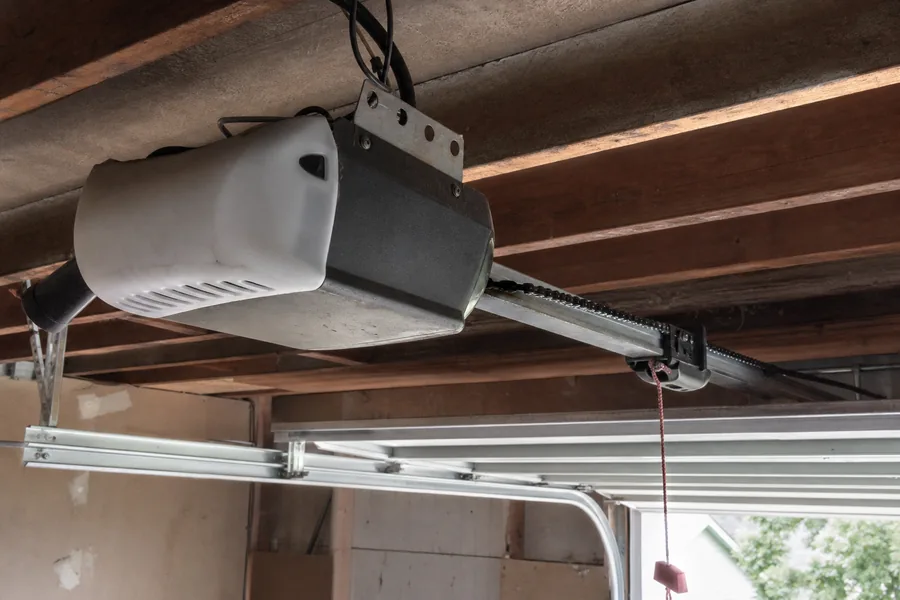
Every opener made in the last twenty-five years has a learn button on the motor housing, near the antenna wire, sometimes behind the light cover. Press it once and the unit listens for a new remote for about thirty seconds. Almost every programming job on this page is a variation of that: put the opener in learn mode, then press the thing you want it to remember.
The color of that button tells you which system you have, and it matters more than the brand name on the box. Yellow is the current Chamberlain and LiftMaster generation (Security+ 2.0). Purple, red and orange are the older generations of the same family. Genie units have a square button, usually black or blue, marked Learn or Program. If your remote is the wrong generation for the button, no amount of pressing will pair it, which is the most common reason people give up.
A new remote needs a battery that works. A remote that has sat in a drawer since the last owner is the first thing to rule out.
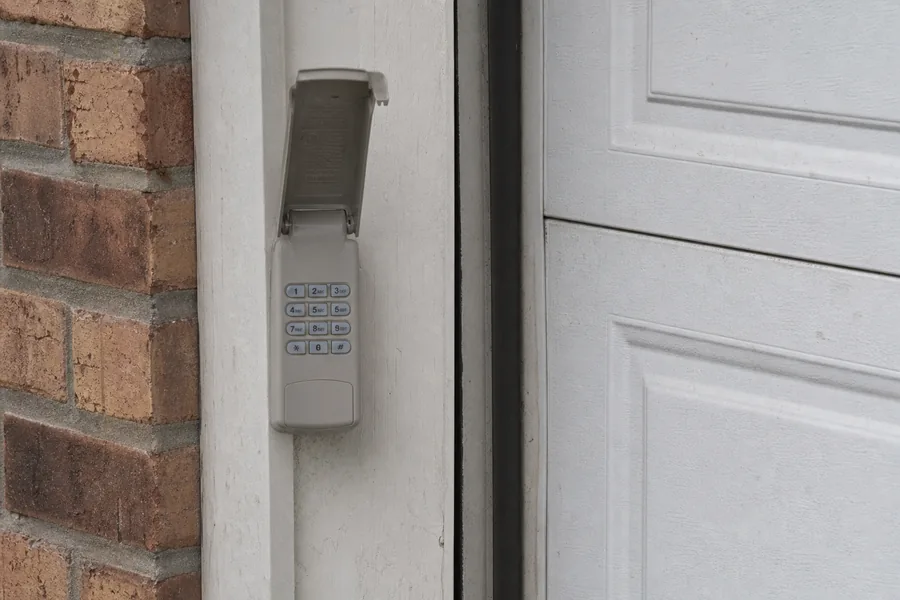
Outdoor keypads pair the same way, with one extra step for the code.
HomeLink is the set of three buttons on the visor or mirror in most cars sold since the mid-2000s. It learns from your existing remote first, then from the opener.
Hold the car button and the remote together, a few inches apart, until the car's indicator light changes from slow blinking to fast. That teaches the car the remote's frequency. Then go to the opener, press its learn button, come back to the car and press the HomeLink button two or three times, holding each press for two seconds, until the door moves. Newer rolling-code openers need that second half; older fixed-code ones don't.
Some cars, notably a number of European models, need the car's own ignition on and take three or four attempts. That's normal and not a fault in the opener.
Holding the learn button for six to ten seconds until the LED goes out erases every remote, keypad and car the opener knows. It's the right move after a move, after a remote is lost or a bag is stolen, or when a stubborn remote refuses to pair and you suspect the memory is full. Older openers remember only a handful of devices; once that's used up, nothing new will pair until something is cleared.
After a clear, every device has to be taught again, including the keypad and the car. Set aside ten minutes rather than two.
Wrong generation. A remote made for a yellow-button opener will not pair with a purple-button one, and vice versa. The remote's packaging or the color band on it says which it fits. Universal remotes cover most generations and are the easy fix.
The lock is on. Wall controls on LiftMaster and Chamberlain have a lock or vacation button. With it engaged, remotes are ignored entirely, and the wall button's light blinks. Press and hold the lock button for two seconds to release it.
Memory full. See above. Clear and re-teach.
Dead battery, or the wrong one. Coin cells in remotes lose charge quietly. A remote that works at the door but not from the driveway is nearly always a battery.
Interference. LED bulbs in the opener's own light socket are a known source. If pairing only works with the light off, that's the bulb; swap it for one marked as garage-door compatible.
The receiver board. If the learn LED never lights, the opener won't take a remote at all and the logic board or receiver has failed. That's a repair, not a programming problem.
Chamberlain and LiftMaster. On the back or side of the motor housing, beside the antenna wire; on some models, behind the light lens. Square button, colored yellow, purple, red or orange. Newer Wi-Fi units also pair through the myQ app, but the physical button still works.
Genie. On the back of the motor head or under a small flap on the housing, marked Learn Code or Program. Genie's pairing wants the remote button pressed several times in quick succession rather than held.
Linear, Marantec and the rest. Same principle, different location. The manual is usually online under the model number printed on the housing label; a photo of the label is enough for us to find it if you'd rather not.
Programming a remote is a two-minute job and most people manage it from this page. If you've tried twice and the opener is ignoring you, the fault is usually a board, a lock setting or a generation mismatch, and a technician settles it in a short visit around Amarillo and Canyon. We carry universal remotes and keypads for the openers we see most, and if the receiver has gone we'll say so on site rather than sell you a new opener over the phone.
While we're there, we check the door's balance and the safety sensors. An opener that has been dragging a heavy door is the one that starts refusing remotes.
You need the original remote to add a new one. No. The learn button on the opener pairs any compatible remote; the old one is irrelevant.
Universal remotes don't work with rolling code. Current ones do, across all the common generations. It's the very old fixed-code openers they sometimes can't reach.
If the remote won't pair the opener is finished. Almost never. Ten minutes of the list above finds the cause most of the time, and a receiver board is a repair, not a replacement.
Look on the motor housing near where the thin antenna wire hangs, or behind the light cover. It's a small square button, colored on Chamberlain and LiftMaster, black or blue on Genie.
That's range, not pairing: a weak battery, or an LED bulb in the opener interfering. Try the battery first.
On the Wi-Fi units, yes, and it's often easier. The physical learn button still works on those models if the app won't connect.
The lock feature is on. Press and hold the lock button on the wall control for about two seconds; the light stops blinking and the remotes work again.
Free, across Potter County. If the opener needs a part, you hear what and why before anything is done.
Usually. Opener calls are short, and the schedule keeps room for them.
Around Wolflin and Canyon, Bushland, one call gets you a two-hour slot and a heads-up call before the technician sets off. Nobody on a phone judges a door they can't see.
Free estimate. Throughout Potter County, including Wolflin, Puckett, Southwest Amarillo, Canyon, Bushland, Borger.
Two hours, not a day, and you'll get a call as the technician sets off. Free throughout Potter County. The estimate is free either way.
Prefer to talk it through? Call (806) 545-9374.
Tell us what the door is doing. The estimate is free and you can say no.